
This is the first post of WebTools by SmartKOL and I would to express my “admiration” for Facebook which is my most “favorite” social media platform.
In this morning, I encountered an error message stating “You do not have the necessary permission for the specified Page to perform the requested action.” when I switched to one of my page profiles for creating a post on the page. I thought that my Facebook account had been hacked and my page ownership had been taken over. I checked all my login device session but didn’t found any suspicious issues.
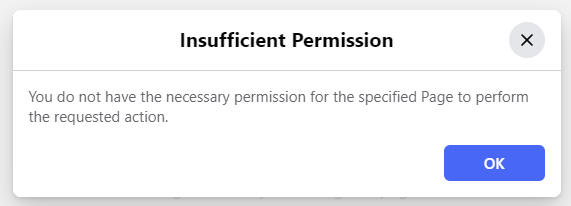
Why do you receive this error?
The exact reason for this error is still unknown but I am not alone. Many other Facebook page owners have encountered the same problem (as mentioned in a reddit’s post). I guess that it’s probably due to a newly introduced bug after a recent Facebook system update.
Is there a workaround solution?
Yes, there is a workaround solution. You can use Meta Business Suite to create new posts and to manage other activities such as advertising.
What is Meta Business Suite?
Here is how Meta describes it:
Meta Business Suite is a one-stop shop where you can manage all of your marketing and advertising activities on Facebook and Instagram. It centralizes tools that help you connect with your customers on all apps and get better business results.
Whether you’re using it on desktop or mobile, Meta Business Suite makes it easy to view notifications and respond to messages quickly. You can also create or schedule posts, stories and ads for your business, and you’ll find helpful insights to optimize your efforts as you go.
- Post across Facebook and Instagram
- Manage your Inbox
- Create ads
- Track insights and trends
- See all activity at a glance
- Access helpful tools
How do you access Meta Business Suite?
I tried search for it within the Facebook system but I could only find some Facebook groups or pages instead of the correct URL. Finally, I resorted to googling it and here is the entry point:
https://business.facebook.com/latest/
How to create a post in Meta Business Suite?
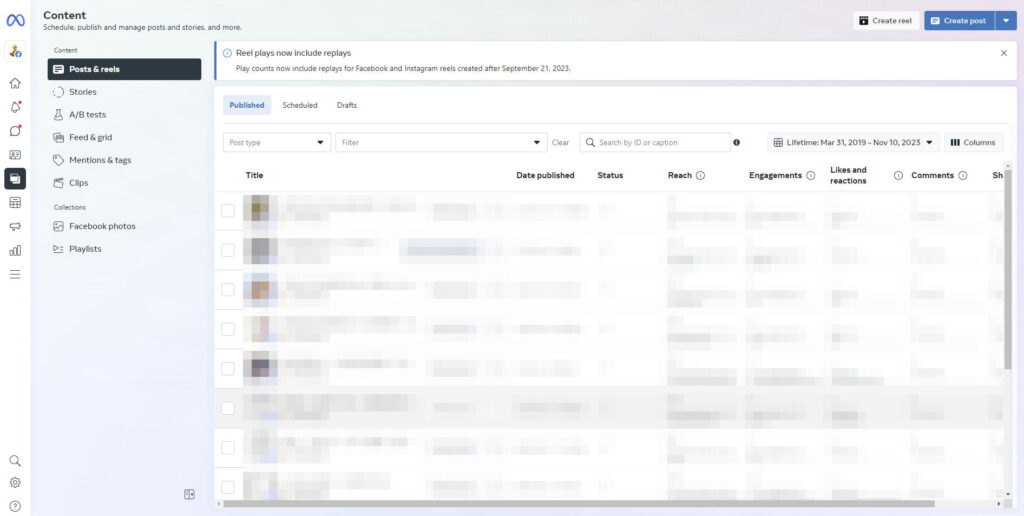
- Select your Facebook pages on the top left hand corner.
- Go to Content or Planner.
- Click Create post on top right hand corner.
Here is the sample screenshot of Meta Business Suite:
I hope this post is helpful to you!

Comments are closed.